Min DKV Plan
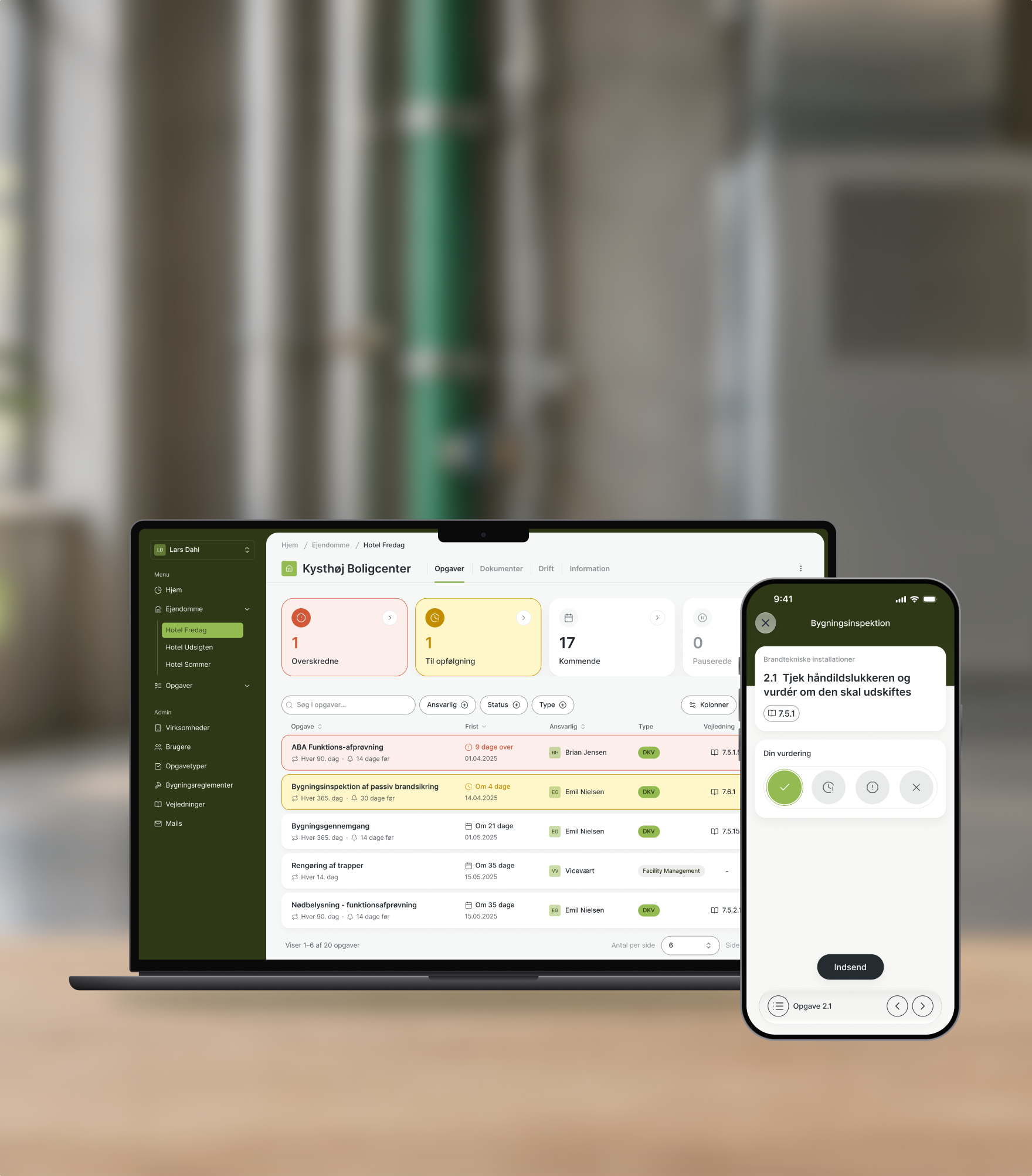
Digital DKV is a platform from Dansk DKV Plan for managing the operation, inspection and maintenance (DKV) of fire safety installations in buildings. Our goal was to give building owners a clear overview of upcoming tasks and their urgency, and to make the inspections themselves simple to carry out on site.
Client
Dansk DKV Plan
Project type
B2B SaaS
My role
UX prototyping, UI design
The challenge
Making fire safety compliance manageable, from desk to building site.
DKV is heavy on rules, data and deadlines. Every building has dozens of recurring checks, each with its own frequency, guidance and documentation requirements. A missed inspection can lead to an order from the authorities.
The people involved work in very different contexts: building managers plan and follow up from their desk, while inspectors carry out the checks in basements and stairwells, phone in hand. The challenge was to turn a complex system into clarity for both.

At the desk, building managers need to see what’s due and what’s overdue.
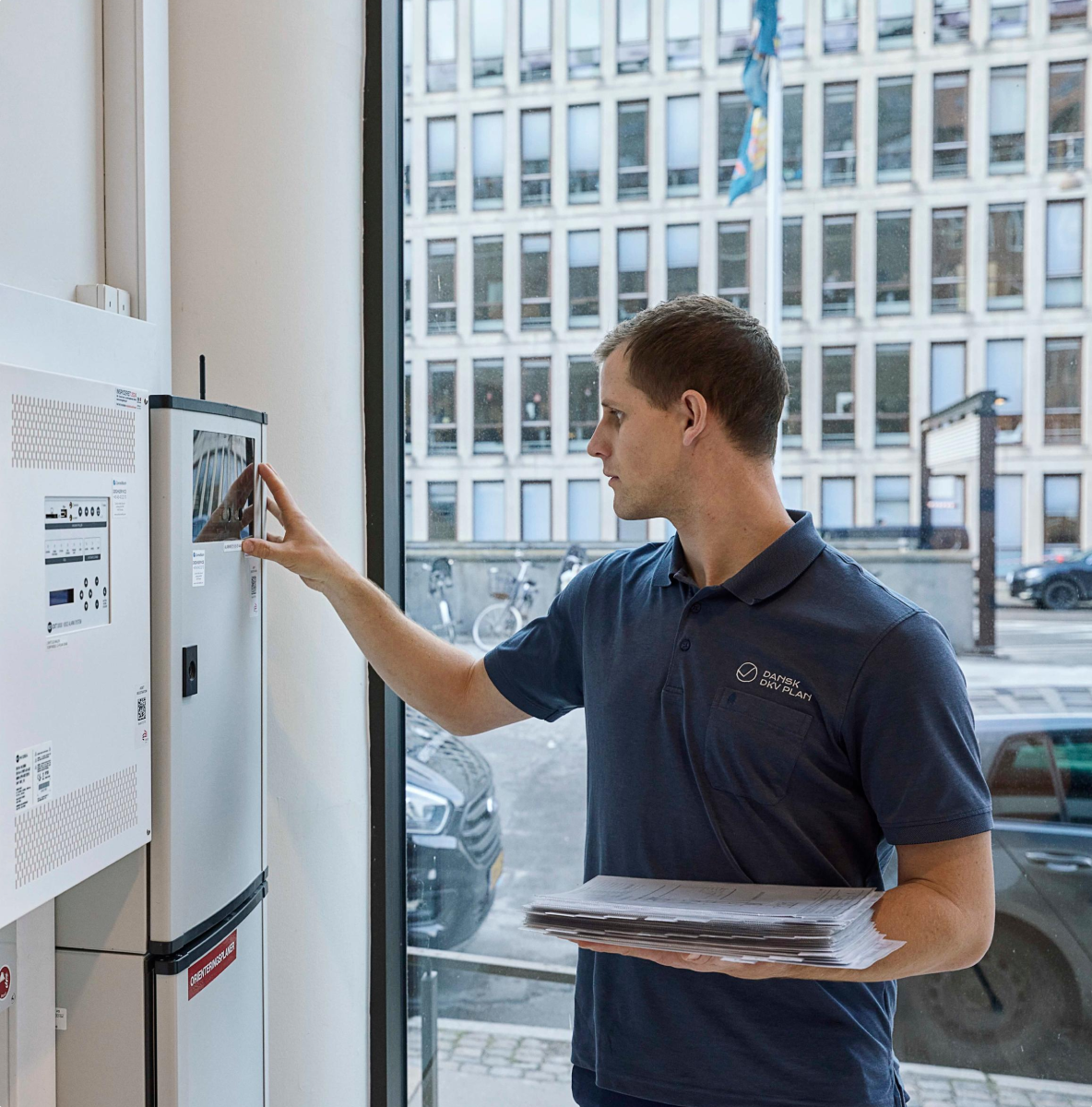
On site, inspectors need one clear task at a time.
Overview at the desk
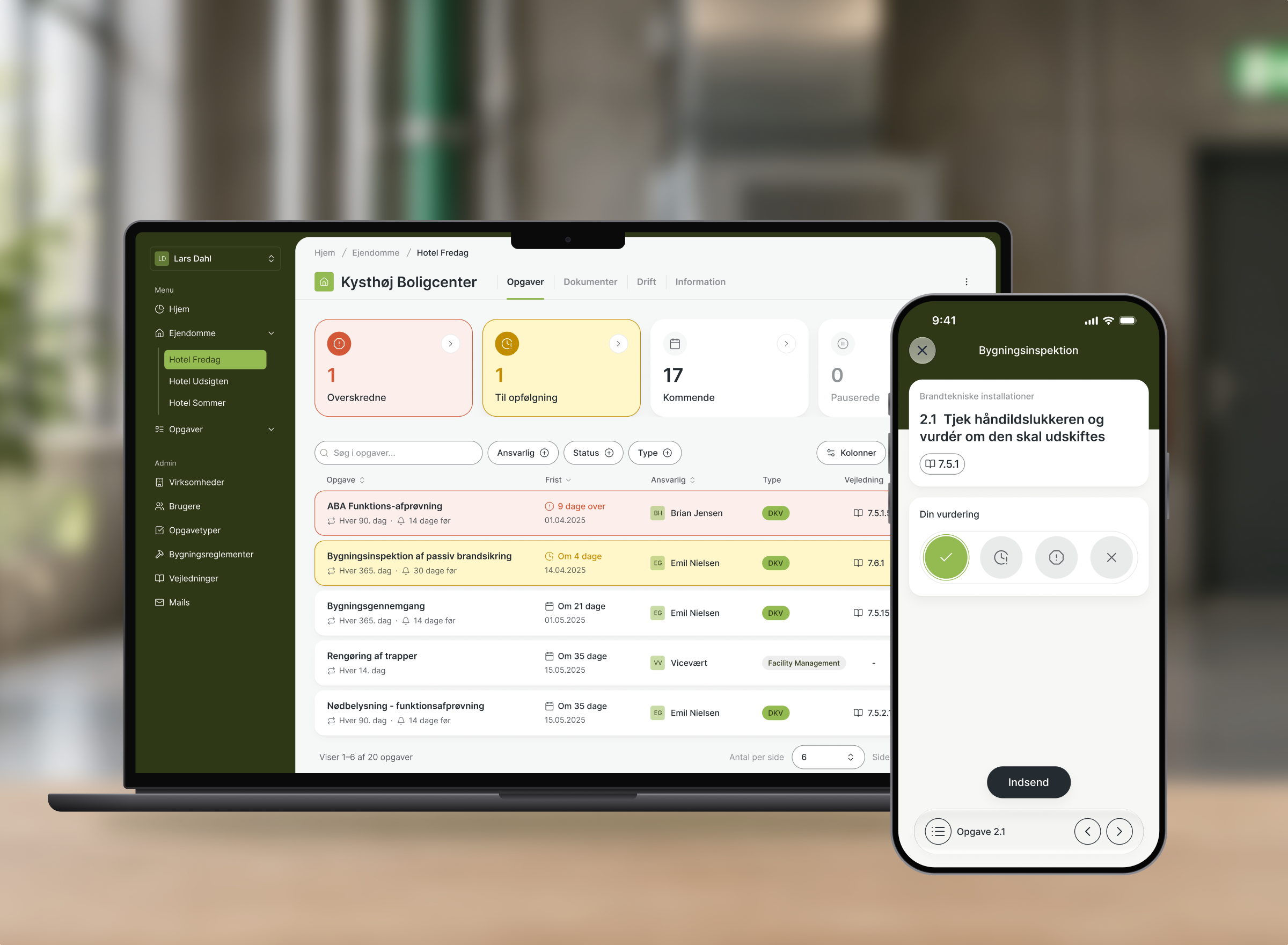
We split the experience by context. The web platform became the place for overview and administration, with a task dashboard that leads with urgency: status cards show what’s overdue at a glance, deadlines read “9 days overdue” instead of just a date, and colour is used only where attention is needed.
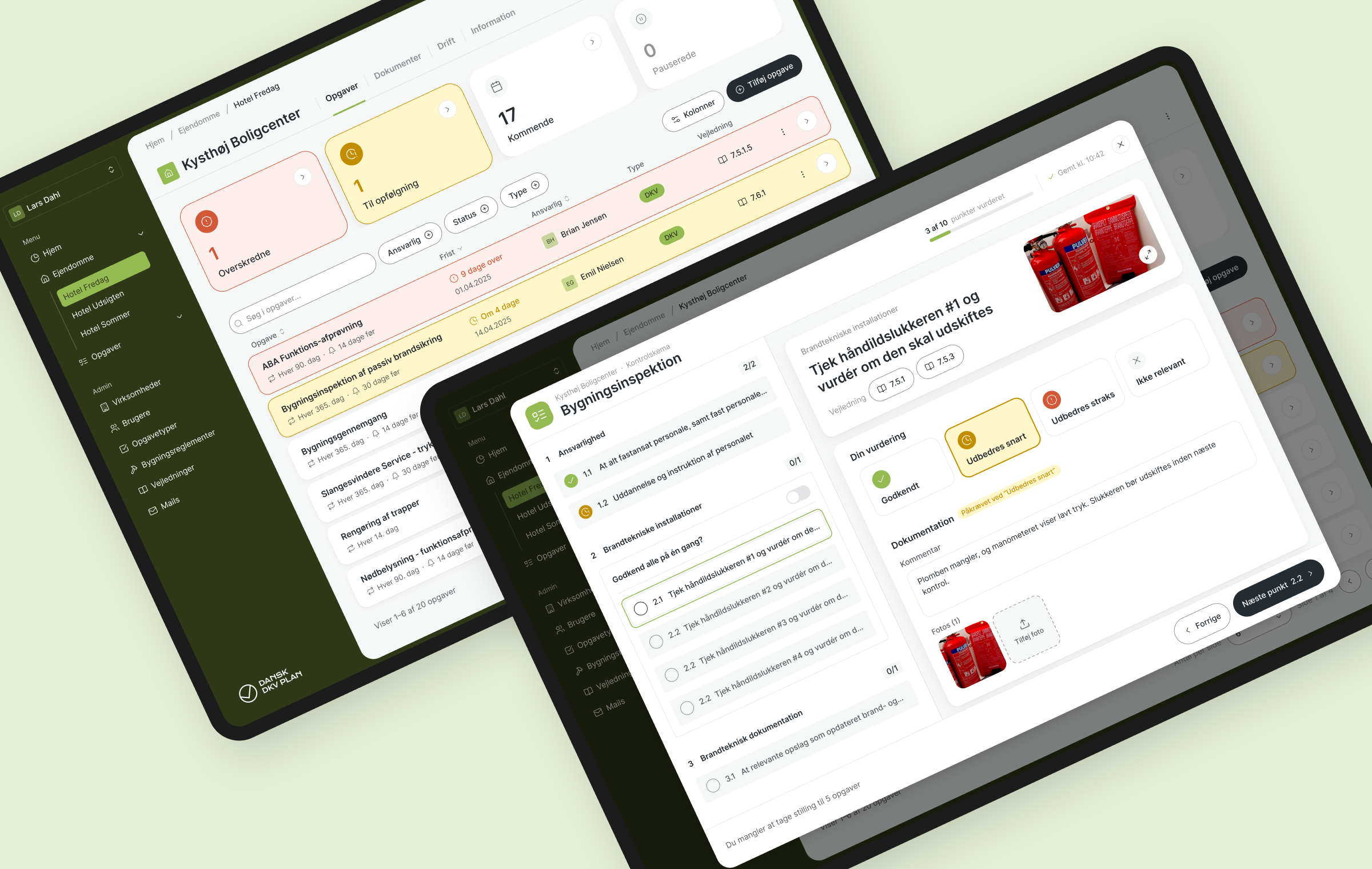
From urgency at a glance to a guided inspection: the web platform gives building managers both overview and depth.
Focus in the field
On site, every tap counts. The app opens on the property’s status and the next task to do, and guides the inspector through each check, one at a time. Documentation is only required when something needs fixing, and clear states show what’s missing before a report can be submitted.
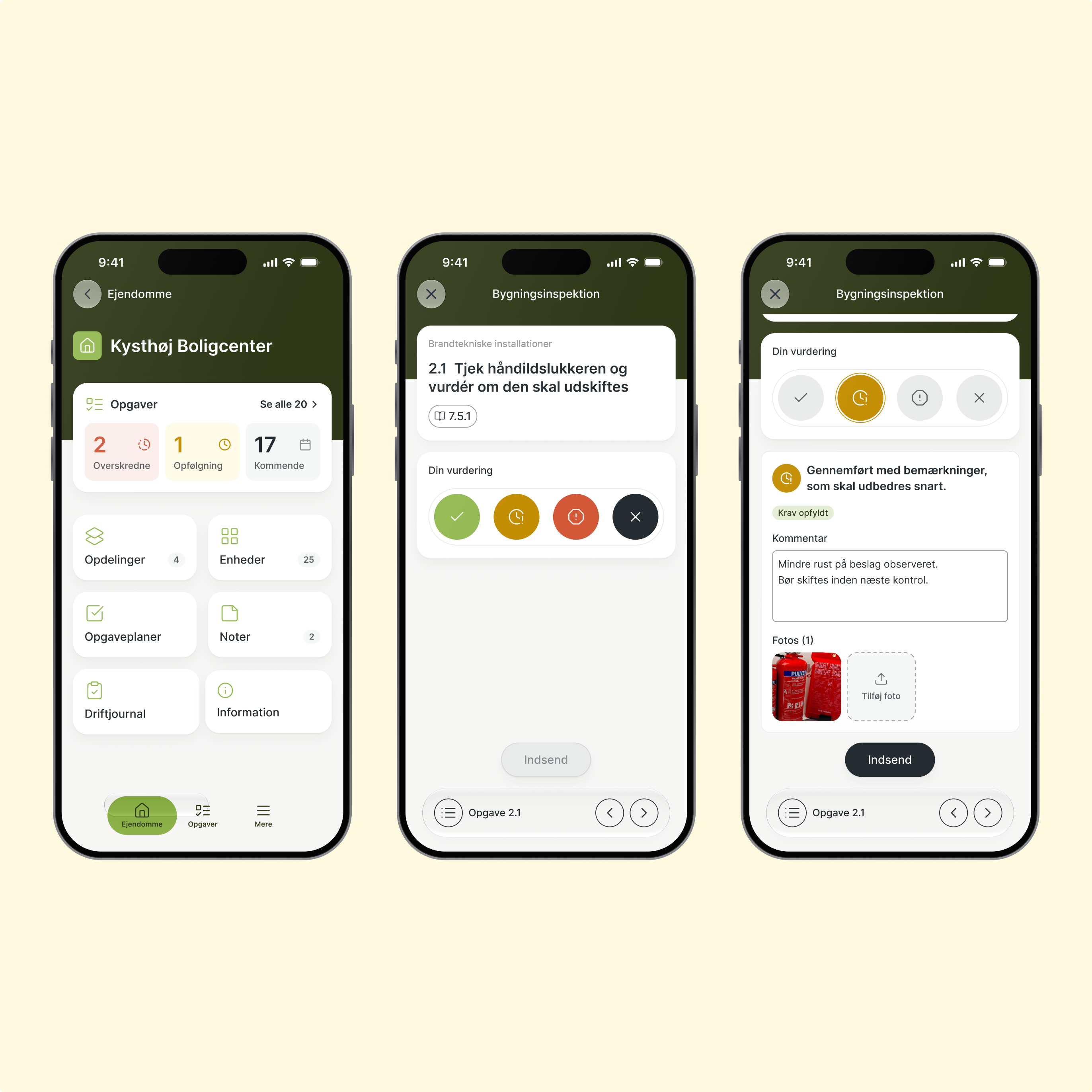
From property overview to documented check: assess, document and move on.
Let’s say hej
in real life.
Min DKV Plan
Digital DKV is a platform from Dansk DKV Plan for managing the operation, inspection and maintenance (DKV) of fire safety installations in buildings. Our goal was to give building owners a clear overview of upcoming tasks and their urgency, and to make the inspections themselves simple to carry out on site.
Client
Dansk DKV Plan
Project type
B2B SaaS
My role
UX prototyping, UI design
The challenge
Making fire safety compliance manageable, from desk to building site.
DKV is heavy on rules, data and deadlines. Every building has dozens of recurring checks, each with its own frequency, guidance and documentation requirements. A missed inspection can lead to an order from the authorities.
The people involved work in very different contexts: building managers plan and follow up from their desk, while inspectors carry out the checks in basements and stairwells, phone in hand. The challenge was to turn a complex system into clarity for both.
At the desk, building managers need to see what’s due and what’s overdue.
On site, inspectors need one clear task at a time.
Overview at the desk
We split the experience by context. The web platform became the place for overview and administration, with a task dashboard that leads with urgency: status cards show what’s overdue at a glance, deadlines read “9 days overdue” instead of just a date, and colour is used only where attention is needed.
From urgency at a glance to a guided inspection: the web platform gives building managers both overview and depth.
Focus in the field
On site, every tap counts. The app opens on the property’s status and the next task to do, and guides the inspector through each check, one at a time. Documentation is only required when something needs fixing, and clear states show what’s missing before a report can be submitted.
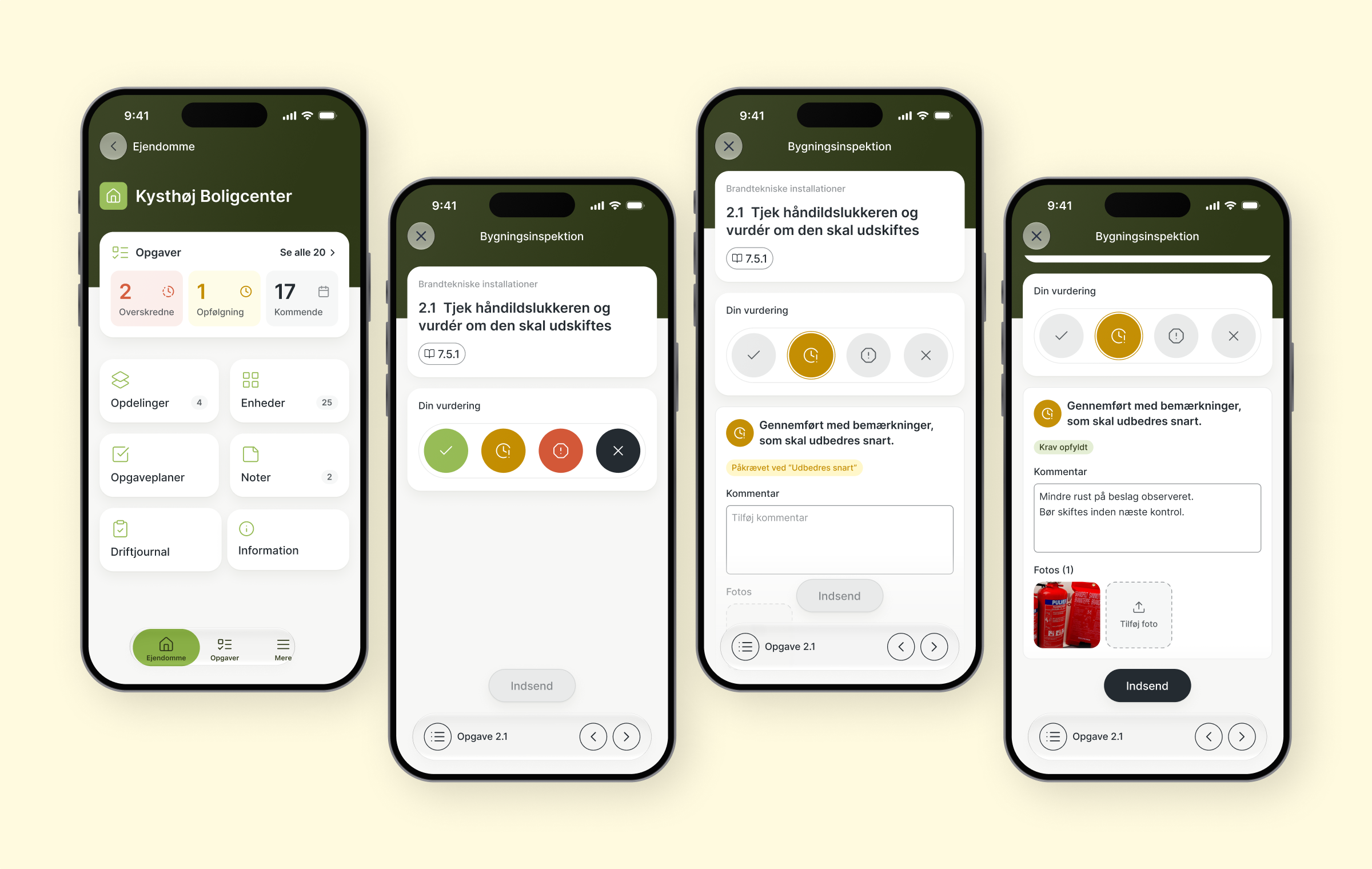
From property overview to documented check: assess, document and move on.
Jessica Rickert
Work
About
Contact
Let’s say hej in real life.
Min DKV Plan
Digital DKV is a platform from Dansk DKV Plan for managing the operation, inspection and maintenance (DKV) of fire safety installations in buildings. Our goal was to give building owners a clear overview of upcoming tasks and their urgency, and to make the inspections themselves simple to carry out on site.
Client
Dansk DKV Plan
Project type
B2B SaaS
My role
UX prototyping, UI design
The challenge
Making fire safety compliance manageable, from desk to building site.
DKV is heavy on rules, data and deadlines. Every building has dozens of recurring checks, each with its own frequency, guidance and documentation requirements. A missed inspection can lead to an order from the authorities.
The people involved work in very different contexts: building managers plan and follow up from their desk, while inspectors carry out the checks in basements and stairwells, phone in hand. The challenge was to turn a complex system into clarity for both.
At the desk, building managers need to see what’s due and what’s overdue.
On site, inspectors need one clear task at a time.
Overview at the desk
We split the experience by context. The web platform became the place for overview and administration, with a task dashboard that leads with urgency: status cards show what’s overdue at a glance, deadlines read “9 days overdue” instead of just a date, and colour is used only where attention is needed.
From urgency at a glance to a guided inspection: the web platform gives building managers both overview and depth.
Focus in the field
On site, every tap counts. The app opens on the property’s status and the next task to do, and guides the inspector through each check, one at a time. Documentation is only required when something needs fixing, and clear states show what’s missing before a report can be submitted.
From property overview to documented check: assess, document and move on.
Let’s say hej in real life.